

If you run a small business in Campbelltown, Bankstown, or anywhere in South-West Sydney, ransomware might feel like a problem that only hits big companies. The reality is the opposite. Small and medium businesses are the primary target for ransomware attacks in 2026, precisely because they’re less likely to have proper defences in place.
The statistics are stark. According to the latest cybersecurity reports, over 60% of ransomware attacks now target small to medium businesses. And the average ransom demand has climbed past $10,000 — a sum that can cripple a small business for months.
Yet putting together a solid ransomware protection small business plan doesn’t have to be complicated or expensive. The good news is that protecting your business doesn’t require a dedicated IT team or a six-figure security budget. It comes down to getting a handful of fundamentals right. Here’s what you need to know to keep your business safe from ransomware in 2026.
What Ransomware Actually Does
Ransomware is a type of malicious software that infiltrates your systems and encrypts your files — customer records, financial data, job files, emails — so you can’t access them. The attacker then demands payment (the ransom) in exchange for the decryption key.
In 2026, the attack methods have become more sophisticated. Instead of the old spray-and-pray approach, modern ransomware operators research their targets. They find the weak points in a business’s setup and attack through the path of least resistance.
For a small Sydney business, that path is often one of these three:
- Phishing emails — An employee clicks a link that looks legitimate and accidentally gives the attacker access
- Unpatched software — An old version of Windows, a neglected router, or a plugin that hasn’t been updated creates a security hole
- Remote desktop vulnerabilities — If you use remote access tools without proper security, attackers can find and exploit them
The Five Fundamentals of Ransomware Protection
1. Backups — The Most Important Safety Net
If your data is backed up properly, ransomware loses its power. You can restore your files and move on without paying the ransom.
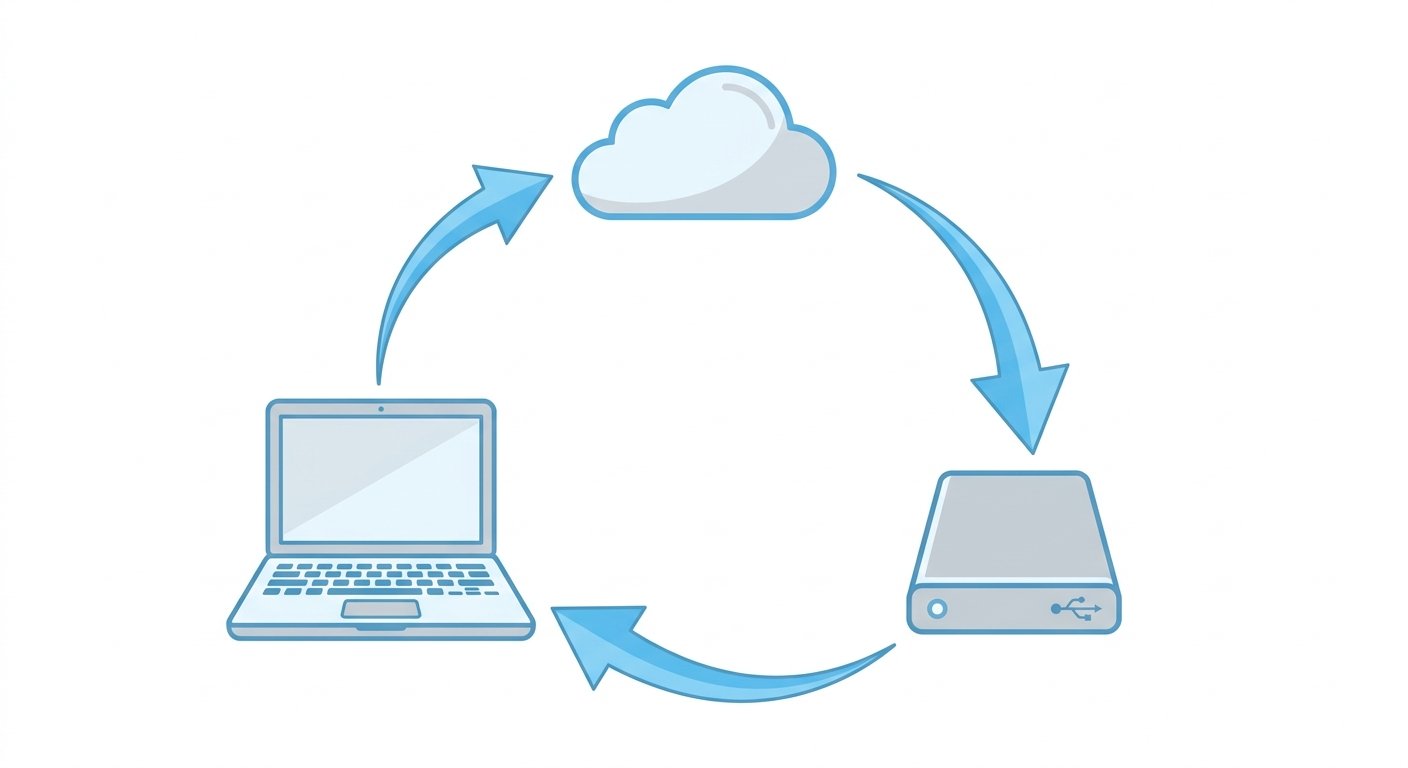
But not all backups work for this. A backup drive that stays connected to your computer will be encrypted right alongside everything else when ransomware hits. The industry standard is called the 3-2-1 rule:
- Keep three copies of your data
- Store them on two different types of media
- Keep one copy offsite (cloud or physically separate location)
For most small businesses in South-West Sydney, this means a combination of local backups (an external drive used only for backup) and a cloud backup service that keeps version histories — so you can roll back to a clean version of a file even if the infected version was synced.
2. Employee Training — Your First Line of Defence
The vast majority of ransomware attacks start with a human error. Someone in your team clicks a link they shouldn’t have. It’s not about being careless — modern phishing emails are incredibly convincing. They mimic real invoices, government notices, and client communications.
The fix is simple training that builds awareness, not fear. Your team needs to know:
- How to spot a suspicious email (check the sender address, look for odd phrasing)
- Never to click links or download attachments from unexpected messages
- To verify unusual requests by phone before taking action
- Who to contact in your business if something seems wrong
A single hour-long training session every six months dramatically reduces your risk. Most managed IT providers, including those serving Campbelltown and Bankstown, include this type of training as part of their service.
3. Keep Everything Updated
Software updates fix security holes that attackers actively exploit. Every major ransomware attack in recent years has used a vulnerability that had already been patched — meaning the victim just hadn’t installed the update yet.
Enable automatic updates wherever possible:
- Windows and Mac operating systems
- All software applications, especially Microsoft 365 and Adobe products
- Website plugins and themes
- Router and network device firmware
- Security software including antivirus and endpoint protection
“Nearly every ransomware attack we’ve seen on a small business in the last year could have been prevented by installing available updates.” — Common refrain in IT security circles
4. Use Multi-Factor Authentication Everywhere
Multi-factor authentication (MFA) is the single cheapest and most effective security measure available. It means that even if an attacker steals a password, they still can’t log in without a second verification step — usually a code sent to a phone or generated by an authenticator app.
In 2026, every business should have MFA enabled on:
- Email accounts (Microsoft 365, Google Workspace)
- Banking and financial systems
- Remote access tools
- Cloud services including backups
- Accounting software
There’s no excuse not to enable this. It’s free, takes five minutes to set up per account, and blocks the majority of automated cyberattacks at the door.
5. Limit Access to What People Actually Need
The principle of least privilege sounds technical, but it’s simple: give each person in your business access only to the files and systems they actually need to do their job.
If an attacker gets into one employee’s account, limiting access prevents that breach from spreading to the entire business. A real estate agent in Oran Park doesn’t need access to payroll files. A tradie scheduling jobs doesn’t need admin rights on the server.
Most small business setups give everyone full access to everything because it’s easier to set up that way. Taking the time to set proper permissions is one of the best investments you can make in ransomware protection.
What to Do If Ransomware Hits
Even with all the right defences, it’s smart to know what to do if the worst happens. If you see the ransomware screen or get a message saying your files are encrypted:
- Disconnect immediately — Unplug the affected computer from the network and Wi-Fi to stop the spread
- Don’t pay the ransom — There’s no guarantee you’ll get your data back, and paying funds the attackers
- Contact your IT provider — They can assess the damage and start the recovery process
- Restore from backups — If your 3-2-1 backup strategy is in place, this is where it saves you
- Report it — Notify the Australian Cyber Security Centre (ACSC) at cyber.gov.au
The businesses that survive ransomware attacks are the ones that prepared before it happened. That preparation doesn’t need to be expensive or complicated — but it does need to be done.
Getting It Done
If you run a small business in Campbelltown, Bankstown, or anywhere in South-West Sydney and you’re not sure where to start with ransomware protection for your small business, you’re not alone. Most business owners know they should be more secure but don’t have the time or expertise to figure it out themselves.
TechMedia works with small businesses across Sydney to set up practical, affordable cybersecurity protections — including backups, employee training, and secure system configurations that actually fit how you operate. Contact TechMedia to book a free security review and find out where your business stands.